LLMs keep getting better, don’t they? So why is it that the AI agents built on top of them still sometimes feel like they’re just making things up?
You ask a question about a customer issue, and the agent gives you a technically accurate answer that completely misses the operational reality of your team. It doesn't know about the runbook your SRE team spent three weeks refining. It doesn't know that a specific customer sends you CSVs every quarter with their upcoming API changes. It doesn't see the brand and style guidelines your support team is supposed to follow when drafting external responses.
The thing is, that's not an AI problem. That's a context problem. Critical enterprise context exists outside of your code and ticketing systems, but so many systems fail to incorporate it into their models. Here at PlayerZero, we know how important it is, and so we built Knowledge Bases.
What Knowledge Bases actually are
Knowledge Bases are exactly what they sound like: a place to store the enterprise documents, specs, and references that your AI agents need to do their jobs well. They’re a core component of what PlayerZero is actually building: an engineering world model — a living representation of how your software actually works in production. That model is built from three layers. Code captures intent: what the software is supposed to do. Runtime telemetry captures reality: what it actually ends up doing. And then there's a third layer that most teams don't have a good answer for — the organizational knowledge that explains the gap between the two. Why was this system built this way? How does your team respond when this specific thing breaks? What does this customer actually need?
That third layer is what Knowledge Bases are for. It's the stuff that lives in your team's heads, in your runbooks, in your PRDs, in your support FAQs — and that the context graph powering PlayerZero can now actually use.
The use cases that actually matter
When we were building this feature, I anchored on specific user needs that come up over and over again across our customers.
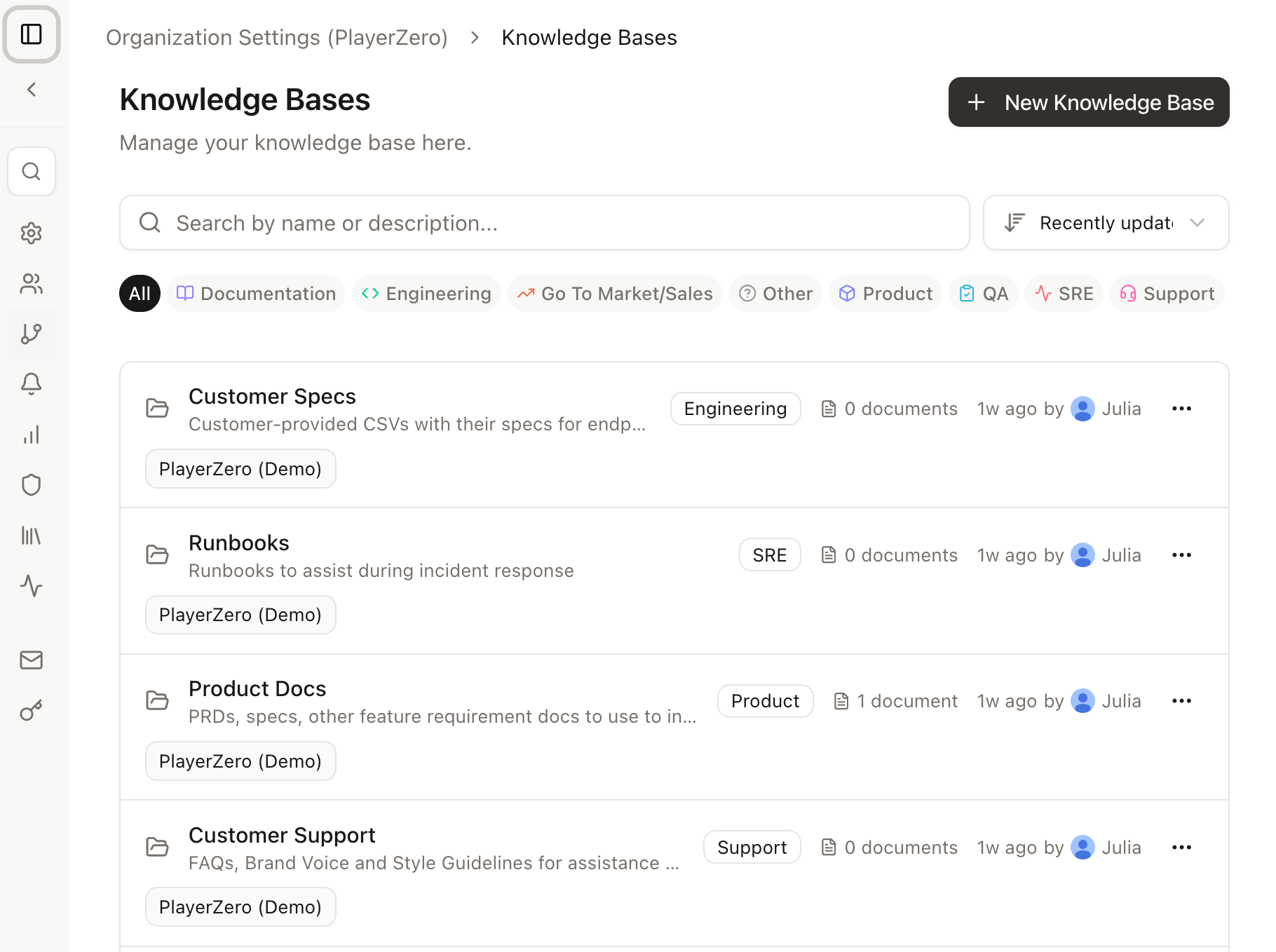
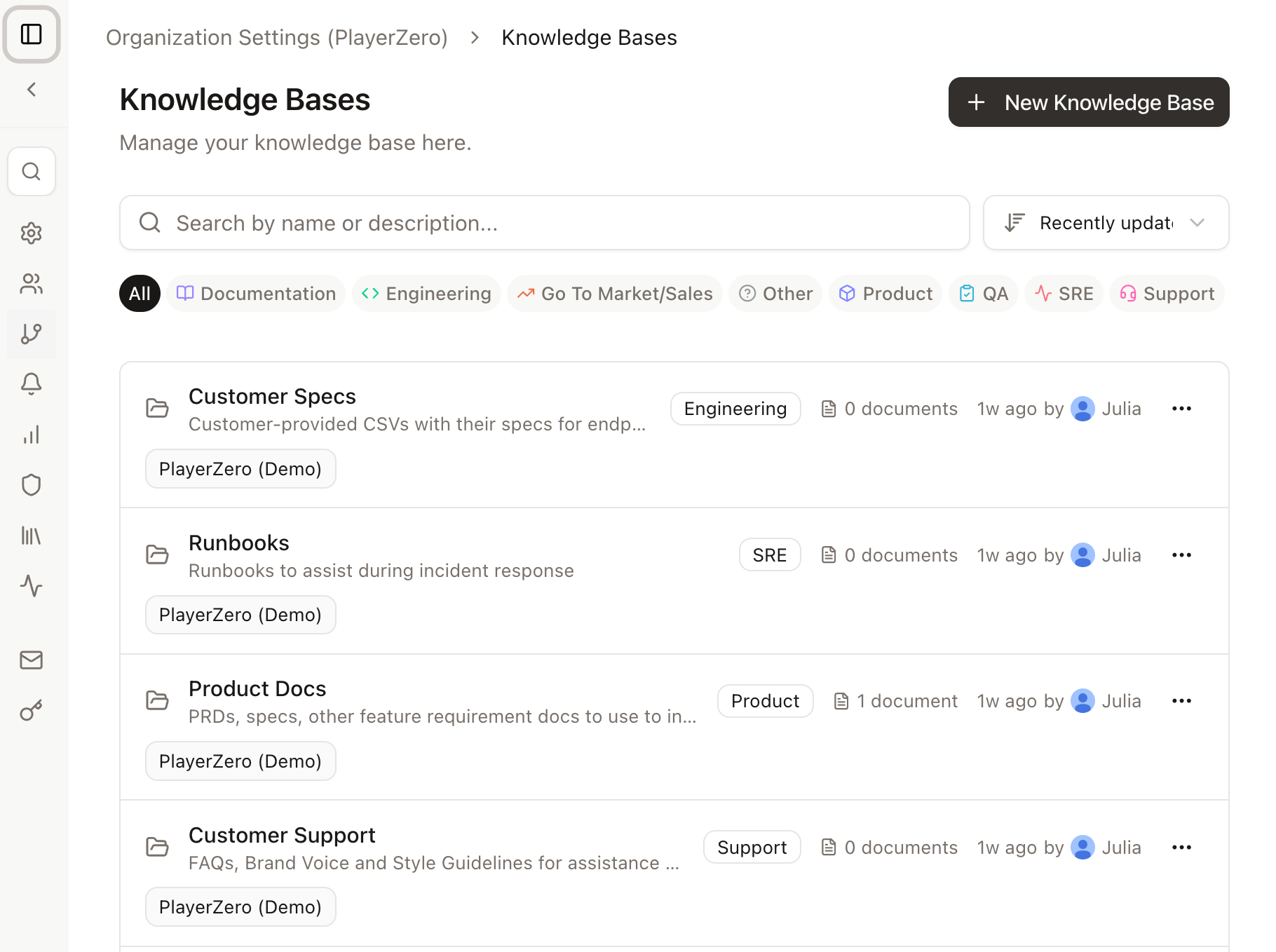
Runbooks for incident response. If your SRE team has a set of runbooks they follow during an incident, those should live in PlayerZero. When you're building out an automated issue resolution workflow, you can point the agent directly at the runbook Knowledge Base where it will identify patterns of behavior or quick resolution steps. Instead of an agent improvising from code alone, it can layer in the same playbooks your team uses to draw a more informed conclusion. Or the agent mind find a gap or missed piece of context in the code that it suggests you add back into your own runbooks for next time…and you can sync those updates directly back into the Knowledge Base for the next on-call developer to access.
Customer specs and API documentation. Some customers send you CSVs, architecture diagrams, or custom API specs that shape how you approach their work. Drop those into a Knowledge Base and suddenly the agent working on that customer's ticket has the same baseline understanding your senior engineers have. Or, compare a customer’s long CSV of feature requests to feature work already under development in branches and PRs, to better communicate with your sales team about things that are already in flight that will meet a potential customer’s needs.
PRDs and product specs. Your product team is writing documents that your engineering team needs. Knowledge Bases give you a clean way to make that context available to the AI without requiring anyone to summarize or re-explain it every time. No more swivel-chair of trading markdown files back and forth. The agent can even call back to the original PRDs and specs when a bug is identified in production, and help you sift through two or three bug resolution paths to find the one that best fits the original intent of the feature area.
Customer support references. FAQs, brand voice guides, tone documentation — the stuff that makes customer responses feel consistent and on-brand. If your support team is using PlayerZero workflows to draft responses, the Knowledge Base is where you put the materials that make those drafts actually usable.
None of these are exotic. They're all things every software org already has. Knowledge Bases just make them accessible to the AI.
How the agent actually uses them
Here's the part that surprises people: PlayerZero will browse your Knowledge Bases on its own, without being told to, if it thinks the content is relevant. The engineering world model that powers PlayerZero is always trying to pull in the most useful context for whatever it's working on.
That said, if there's a specific Knowledge Base you want the agent to use — especially in a workflow or playbook — just say so in the prompt. Something like "use the customer support Knowledge Base when drafting this response" is enough. You don't need to reference virtual file systems or anything technical. Just tell it what knowledge you want it to have, and let it figure out how to use it.
This is especially true for incident response workflows where you have support escalations on the line. Put it in the prompt. It takes five seconds and it means the agent will always have everything you need.
Getting started
Setting up a Knowledge Base takes about two minutes. From your PlayerZero settings, go to Context and you'll see Knowledge Bases at the bottom. Click "New Knowledge Base," give it a name and description, and start uploading.
Right now we support text, Markdown, and CSV files, and manual file upload. PDF and screenshot support, as well as automated file ingestion, are coming in the next milestones. Once a file is uploaded, you can download it to verify it looks right, or delete it if something ended up in the wrong place.
One practical note: the description you write for a Knowledge Base matters. PlayerZero uses it to understand what's in there and when it's relevant. Don't just write "runbooks" — write something like "incident response runbooks for the payments and auth services." That helps the agent make better decisions about when to reach for it.
The bigger picture
One of the things I find most compelling about the context graph model is that it gets better as you feed it more. Your codebase gives it intent. Your telemetry gives it runtime reality. But what makes an organization's engineering world model actually useful is that third layer — the accumulated knowledge of how your team thinks, operates, and solves problems.
That knowledge doesn't live in code or logs. It lives in the runbook someone wrote after the third time the payments service went down at 2am. In the PRD that explains why a feature works the way it does. In the FAQ a support engineer built from six months of customer questions. Knowledge Bases are how that layer gets into the model.
Every capability PlayerZero has — agentic debugging, code simulations, RCA workflows — gets sharper the more complete that world model is. Knowledge Bases are one of the most direct ways to make it more complete, because you're not waiting for the system to infer your team's practices from behavior. You're just telling it.
If you're using workflows today and wondering why agent responses feel generic, this is probably where I'd start. Drop in your runbooks, your customer specs, or your support guidelines and see what changes.
I think you'll be pleasantly surprised.